How to Cupid
Connect and play in minutes
Quick Start
If you've done this before, you can simply add Cupid as a Connector in your Claude settings with this URL:
Connect
https://cupid-claude.fly.dev/mcp
Play
Once that's done, just start a new chat, and invoke the game in Claude by typing:
play Cupid
Please let us know what you think by clicking the feedback button at the story's end.
Easy Reference
And if you haven't, here's an easy reference to walk you through the process.
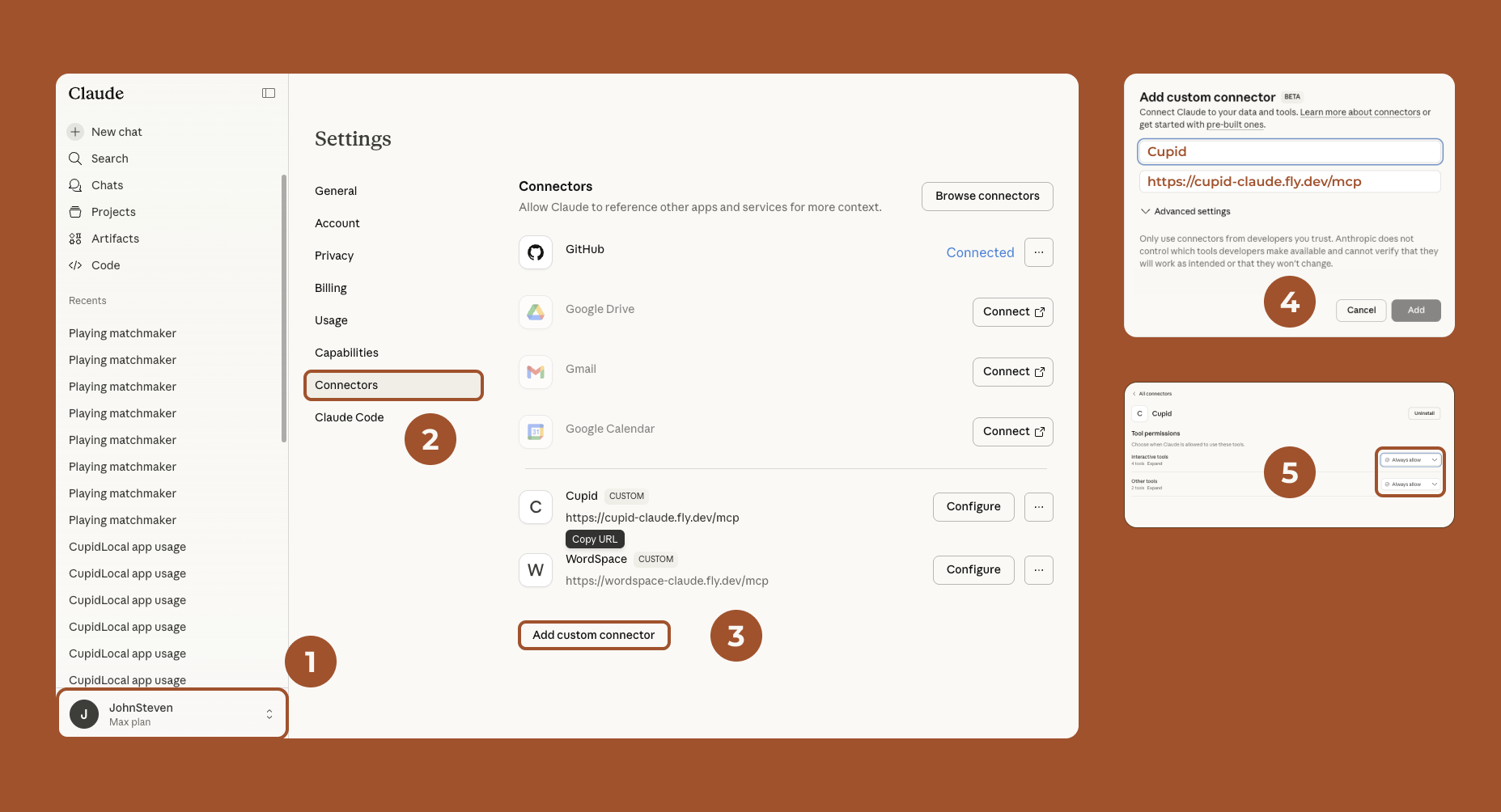
Step by Step
Open Claude on the web or in your desktop app.
- Go to your settings:
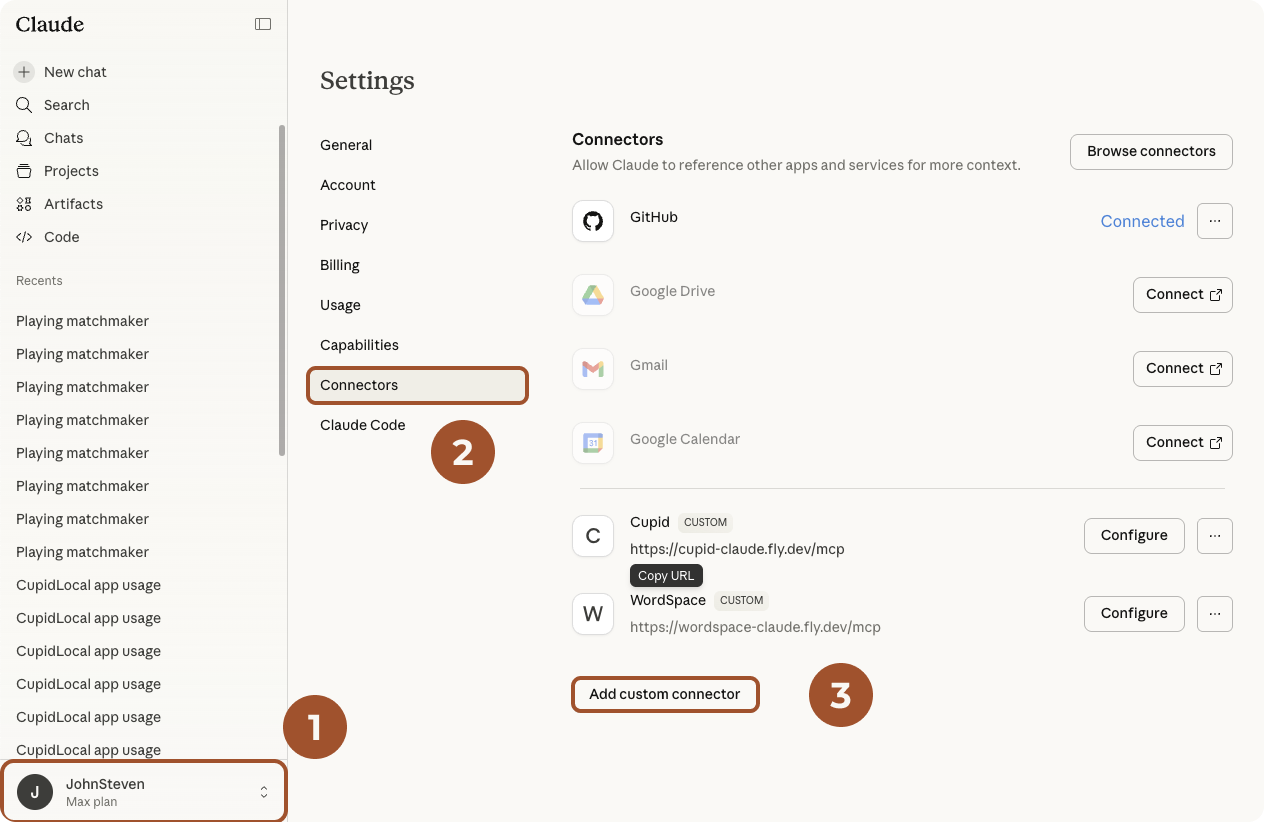
- Click the Connectors tab in your settings.
- Look for Add Custom Connector. Click it to see:
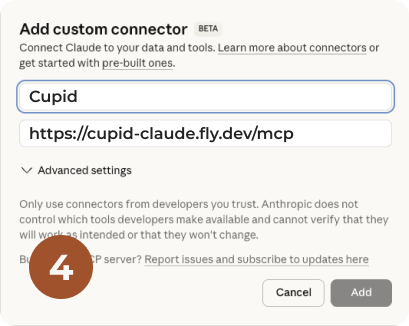
- Give the Connector the name Cupid, and copy the URL below into the field that says Remote MCP server URL:https://cupid-claude.fly.dev/mcp
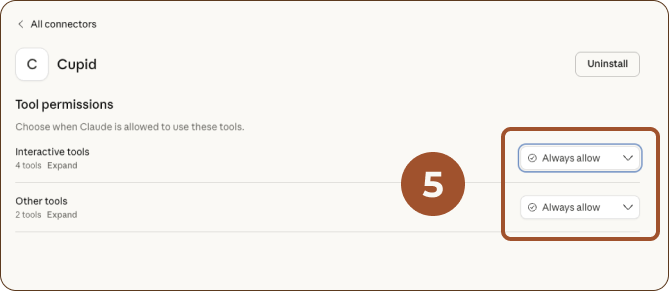
- Once connected, you can Configure the app to ALLOW ALWAYS, for a better experience. (You won't have to approve using our app every interaction.)
Play
Once that's done, just start a new chat, and invoke the game in Claude by typing:
play Cupid
Please let us know what you think by clicking the feedback button at the story's end.
© 2026 Playful.AI, Inc. All Rights Reserved. Terms of Use